 Quin Carter
Wanna chat? Reach out and I would be happy to speak with you!
I am always striving to learn more and connect with other like-minded devs. If you just want to reach out and chat, all my socials are above!

NOTE - All thoughts presented in this article are my own. No AI was used to generate any piece of this and it was entirely written by a human
Let’s just get the big fat elephant in the room out of the way - AI has completely blown up in 2026 and I don’t believe that people are really aware of what it actually does or how it works. AI is built on the basis of machine learning, and grown from those binary trained models of yes/no at a large scale. Large Language Models (LLMs) are really just machine learning for how to combine different words together to make natural language based sentences. AI can appear to be “smart” because it will respond to you in ways that make it sound more human or tailored to you as a response. Most AI companies have built things into their base models that are like “do not admit that you are wrong” and give the user “affirmations” or “positive reinforcement” about their prompt. This is deceiving because a user may not ever think they are doing anything wrong with AI because it never tells them they are wrong.
Pretty much all AI is trained on generalist models. These models are not “experts in their fields” but they can consume and summarize information at a tremendous rate, which is arguably one of the more useful parts that AI can give any human - “Hey this is too long, give me the TLDR” - that is one way I use AI actively in my job and in my personal life. Since AI is a generlist, though, we cannot expect it to be an expert at anything without giving it proper context to consume and summarize. As an engineer, this is very frustrating to encounter when writing code or utilizing AI to help accelerate coding. AI can seamingly generate a proof of concept project fairly quickly and it will appear to work, however the code will not be something you will want to ship to production or maintain at scale.
Now some of you AI-pilled people would probably rebut and say “well I won’t maintain it, AI will” - and that is totally up to you. I personally want to be able to read and comprehend the code or technology I am working on. I am a builder, a fixer, I love the act of writing code. It’s my zen. So when I try to have AI do the thing that I love doing, it literally takes the joy out of my daily work as an engineer.
As a frontend focused engineer, I hear from all the backend engineers why “oh AI can just do it” when generating a frontend app. The architecture it will use, language choice, and patterns are all summarizations of best practice patterns and all of the above. The problem when using AI for any app that deals with user experience is it will not build anything mind blowing or even something that will make sense from a flow perspective. It will try to tie a bunch of pages and components together and they may function, but as AI is working, it will just keep building on the slop that it generated 6 steps prior if it generated code in the beginning of an AI feature prompt. It will not reassess its own architecture because every new prompt is essentially a new engineer working on a problem to build on the existing context.
Another huge issue building UI/UX applications is that AI literally cannot see. This make using AI at work very difficult to justify when building features.
However, this is not an article about why AI sucks. It is an article about how I am using AI. If you want to read some great information about why AI sucks at frontend, view the article below:
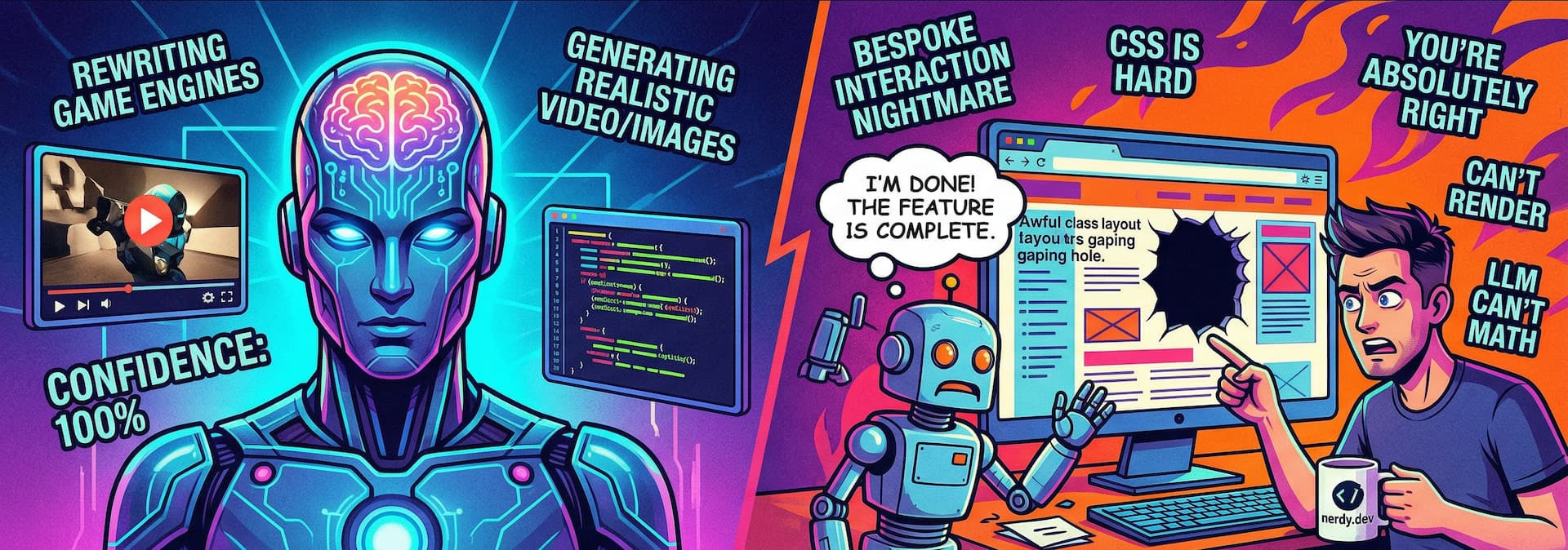
How can it generate 3D worlds, videos, images and entire web pages, but still suck at front-end?
What I do enjoy is using AI tab completion. It can sometimes give me ideas as I am typing or finish my thoughts in code. As far as prompting, I find when I am prompting AI to do anything, it is mostly “hey fix this test” or “hey i got a weird error on the ui <pasted error>” or I have it write tests for me to help expand my test coverage. When I have tried to use AI to prompt for a feature I am building, I end up fighting it and it takes more time for me to get the feature out than if I had just built it myself.
I have also found that AI does a decent job at generating some boilerplate on my backend repos, and I can fill in the blanks later. I do not believe this should completely replace VS Code Snippets, a feature I still use extensively to this day, but I have found that AI does a decent job at that (because the training is there and there are a lot of examples of TODO apps that are basic enough to build a boilerplate off of).
I think I use AI the most when I am doing something rather repetetive and not overly complex, but time consuming. Like something configuration based or updating a lot of the same things over and over again, I have found that AI can do well at that because I can give it pointed instructions and it won’t veer off course or hallucinate.
If I am prompting AI, no matter what I am doing, whether it is dev related, or just conversational, I start a new conversation. Fresh context is going to help you more than you know so you don’t see as many hallucinations.
(Models used are mostly Claude Opus or Sonnet at work depending on tasks I am doing)
I was in a panel recently about WebMCP and WebNN as a standard and where it is going to be in the future in our browsers. My particular expertise I brought to that was about putting up guardrails and defining standards for AI to query for information. I have started contributing to a few open source projects that do not currently have a way to create LLMS.txt files and created parsers to crawl their sites in a deterministic way with Python and Playwright, then spit out a markdown style syntax for AI to consume. This format is not something you want to just prompt and say “Use @my-llms-txt-file.txt and help me build this feature” because these are raw documents. Thousands of lines of text. This will eat up your context like crazy. This is a pre-cursor to a few things - this will help MCP servers query the proper information with the proper tooling, and it is another User Experience you are thinking about as a developer - Agents are users of your sites as well, as much as you may not want them to be, they are crawling your webpages more than humans are now.
I have a repo of a few things I have created - the python scripts as well as the llms-txt files (which are probably out of date now but you would just need to run the required scraper and get fresh information).

AI can utilize LLMS.txt files to help it along better than a raw website. This aims to provide documentation sources to AI in a clearer way
I used AI to help me build these python scripts because I am not a python focused engineer myself. This is more of a deterministic approach to information gathering in an attempt to reduce the amount of context used by a prompted AI Agent. In the instructions files, you would put something like “Search the <insert llms-txt filename here> if you get stuck or need more information. These are the full docs for the technology. This will ensure that the AI (if it is reading the instructions file) will actually do a local search for the information rather than trying to use a web search tool or having to append the entire file to context. If that file was appended to context then the AI would likely summarize it anyway. Which defeats the purpose of the raw documentation being availale to the agent.
I will write a script or have AI write a script to use if I am using Windsurf skills, or any kind of AI agent because it can be replicated. I fully believe that is a better way to use AI than raw sythesization. It is the same as pre-AI - if you can script yourself out of a job, or script the AI out of needing to create more from scratch, you make everyone’s job easier, freeing up human and agentic context for other things. This goes for all things in code that I need to replicate.
I am a bit of the opposite when using AI at home. I am a Google ecosystem guy, I have many nest hubs, gemini on my phone, and use it actively throughout the day. I use it to govern my smarthome as an extension in Home Assistant. With gemini at the helm now, I can talk to it naturally and less rigid commands. I have my headphones on at work or connected to my car and use Gemini to ask questions, send text messages to my family, read notifications, navigate places, or check the scores for the latest games on TV. Gemini is especially good at telling me the weather.
I have a Windows 11 machine with Copilot built in for mostly gaming and daily driving outside of work. I just built it this past year and it has a 5090 GPU with a solid CPU and Ram kit in it. I honestly didn’t think I would use the AI features built into Windows that much, but after using it enough, and training it on how I wanted it to respond, it is a joy to use. I still greatly prefer the responses from Gemini, but Copilot isn’t horrible and it is free to use on Windows. I’ve used both at the same time for research tasks or spiderwebbing the internet for information about products I am eyeballing, or summarizing information on websites in Edge.
I think as devs, we get so locked into the mandates we have at work, or how we see friends/colleagues using it, we forget that it is a tool and you can use it however you want to use it. My deal is simple: use it as a tool, not a crutch. I will continue to write code because that is what I enjoy about my job, and I will use AI like my own personal google in a box. Outside of work, AI has helped me with a ton of personal life problems or just acting as a rubber duck. I would just encourage you as a reader to use it sparingly. AI can and will make mistakes. It will hallucinate. Always fact-check your responses, ask your AI to provide references for everything if you are using it to gain an understanding of any topic.
I am always striving to learn more and connect with other like-minded devs. If you just want to reach out and chat, all my socials are above!